How WebHID API is Connecting Browsers Directly to Hardware
- CipherRoot Software
- 3 gün önce
- 3 dakikada okunur

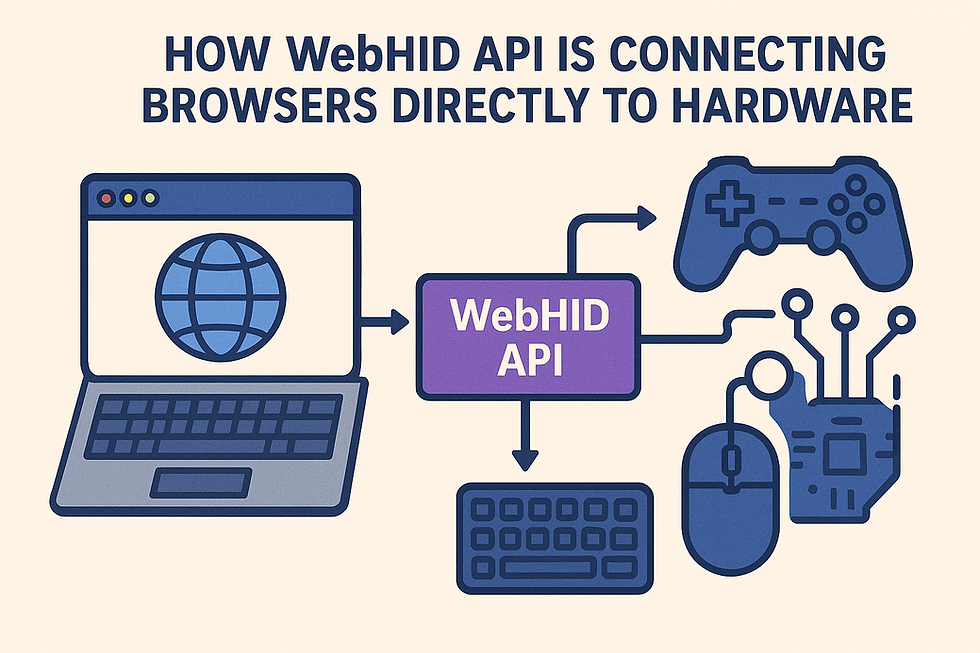
For decades, web browsers were deliberately isolated from the user's physical computer hardware. Due to strict security frameworks, a web page could only interact with the outside world through standardized inputs: a mouse, a keyboard, and occasional gamepad inputs. If a developer wanted to build a configuration tool for specialized equipment, custom hardware controllers, or local automation devices, the web browser was immediately ruled out. You had to force users to download massive, native desktop installers just to communicate with a physical USB device.
That architectural barrier is officially fading. With the advent of the WebHID (Human Interface Device) API, modern browsers can now securely shake hands and communicate directly with hardware peripherals. This paradigm shift allows developers to engineer complex, desktop-class device management platforms entirely within a lightweight web layout.
🎛️ What is WebHID? (The Hardware Bridge)
The Human Interface Device (HID) protocol is a universal standard designed for hardware components to send or receive data packets (called "reports") to an operating system.
The WebHID API exposes this low-level communication protocol directly to JavaScript environments running inside modern browsers. Instead of relying on the operating system kernel to act as an opaque middleman, WebHID allows a web application to:
Discover & Request Access: Prompt the user to securely select a connected physical HID peripheral from a native, browser-controlled menu.
Open a Direct Channel: Establish a bi-directional asynchronous data stream directly to the device's hardware ports.
Stream Raw Packets: Send and receive raw binary input/output data (InputReports and FeatureReports) to manipulate or read the device's internal states in real-time.
🛠️ Architectural Blueprint: Lightweight Diagnostics Without the Bloat
From a systems engineering perspective, implementing WebHID completely redefines how independent software entities can distribute utility tools:
Zero-Installation Utilities: Users no longer need to execute unverified .exe or .pkg installers just to update hardware firmware, calibrate sensor inputs, or configure custom macro keys. They simply open a clean, lightweight URL.
Asynchronous Event Loops: WebHID utilizes non-blocking event listeners. When a connected hardware device fires an input state change, the browser catches the raw binary packet instantly on a separate thread, keeping the main layout interface running at a fluid 60 frames per second.
Cross-Platform Ubiquity: Because the hardware logic is handled by the browser engine rather than operating system-specific drivers, a single WebHID codebase runs identically across Windows, macOS, Linux, and ChromeOS without modification.
🎮 The Simulation and Robotics Edge: Physical Telemetry
For creators building advanced real-time simulation frameworks or working with experimental hardware automation layers, WebHID opens incredible optimization pipelines.
Imagine designing an intricate interactive simulator or a localized telemetry hub. Traditionally, getting custom mechanical dials, flight simulator hardware, or specialized automation microcontrollers to talk to a web app required heavy local server workarounds running in the background.
With WebHID, the hardware input loops are mapped directly into your frontend rendering engines. Whether you are parsing real-time telemetry from a physical joystick into a custom WebGL physics simulator, or sending low-level motor calibration sequences to an experimental mechanical arm, the data flows directly into the web application memory sandbox with zero routing friction or artificial lag.
🔒 The Security Perimeter: Explicit User Sovereignty
Whenever a web browser is granted direct access to physical local hardware, security and privacy boundaries must be impenetrable. WebHID addresses this threat vector through a strict model of Explicit User Sovereignty:
No Arbitrary Scanning: A webpage cannot silently scan the user's local USB ports or discover connected devices in the background. The initialization loop can only be triggered by an explicit user action, like clicking a physical "Connect Device" button.
Strict Browser Sandboxing: The browser displays an un-spoofable hardware selection menu. The website only gains access to the single, specific device the user selects, leaving the rest of the computer’s hardware completely invisible and secure.
Protected System HIDs: WebHID strictly blocks pages from requesting access to standard system devices like the primary mouse or keyboard, ensuring that malicious scripts can never log global keystrokes or hijack the host operating system.
Conclusion The boundary between native desktop applications and the decentralized web continues to shrink. By allowing browsers to communicate directly with hardware peripherals via WebHID, we are shedding the weight of legacy desktop installers in favor of clean, secure, and instantaneous web tools.
The future of hardware configuration, remote device telemetry, and specialized simulation controls isn't locked inside heavy executable files—it is accessible through a single, secure web link.


Yorumlar