
Web & Browser
Performance: How to Keep an Impressive Web Experience Lightweight
CipherRoot Software10 min read
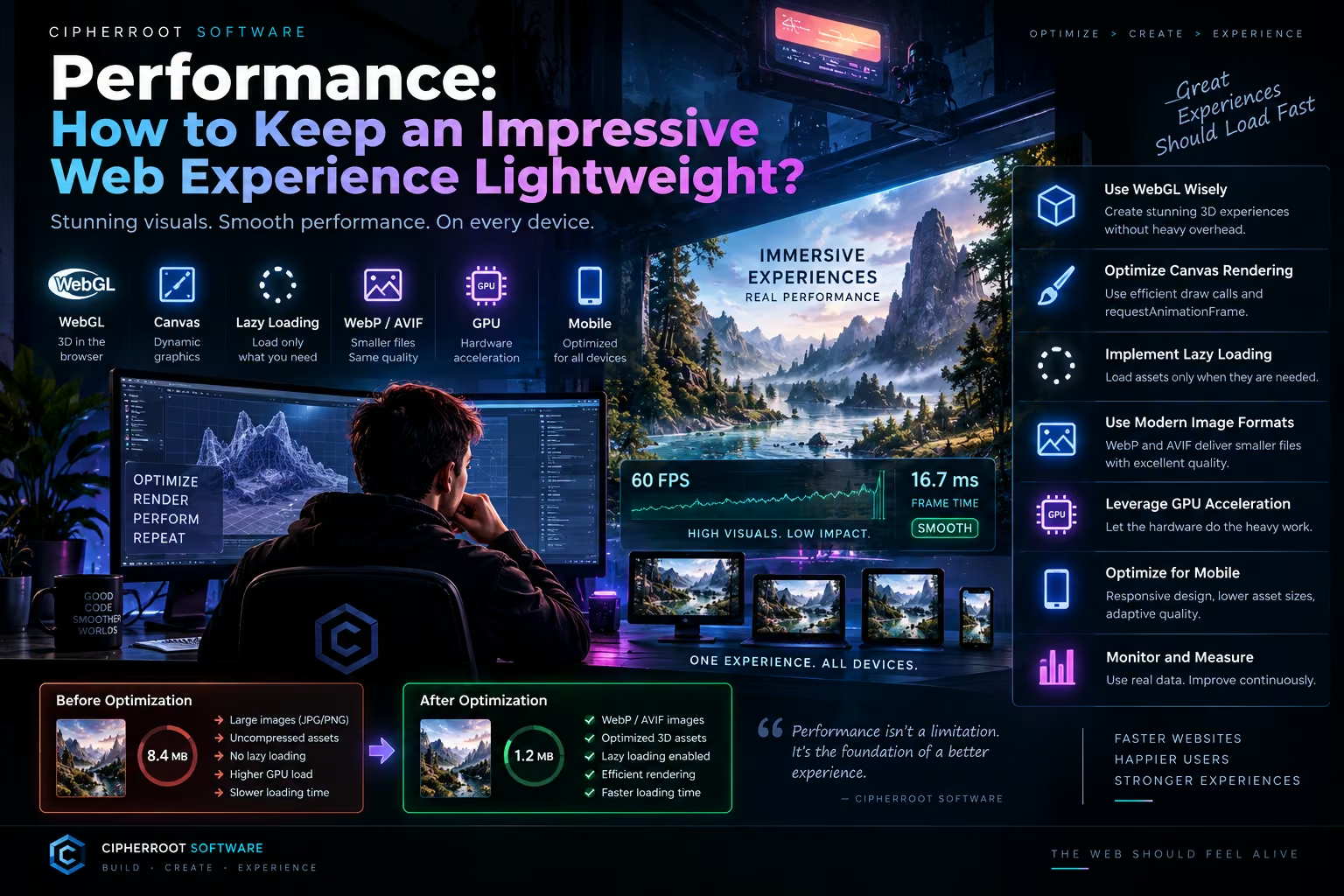
An immersive web experience does not have to be heavy.
Modern websites can combine animation, WebGL, Canvas, large images, video, 3D assets, sound, and interactive elements while still remaining responsive. The key is not to remove visual richness, but to build the experience so that every resource is delivered, rendered, and processed with purpose.
For the Immersive Experience Engine, performance is not a final optimization step. It is part of the architecture from the beginning.
The objective is simple:
Create impressive experiences without making users wait for them.
Why Performance Matters in Immersive Experiences
A traditional page may primarily contain text, CSS, and a collection of images.
An immersive experience can require much more:
Images 3D Assets Animations WebGL Canvas Audio Fonts Video Interactive Components JavaScript
Each additional resource can affect loading time, memory usage, rendering performance, and battery consumption.
This becomes especially important on mobile devices.
A powerful desktop computer may handle a large visual scene easily, while a mobile device may have less processing power, less memory, and a slower network connection.
A well-designed immersive system therefore needs to consider performance across the entire experience.
1. Use WebGL Carefully
WebGL makes hardware-accelerated graphics and 3D rendering possible directly in the browser.
It can be used for:
3D environments Interactive objects Particle systems Visual simulations Advanced effects Dynamic scenes
WebGL can produce impressive results, but simply using it does not guarantee good performance.
A scene containing thousands of unnecessary objects, excessive textures, complex shaders, or inefficient rendering logic can quickly become expensive.
The goal should be:
Use WebGL where it adds meaningful value.
For example, a 3D product visualization may benefit greatly from WebGL.
A simple text section probably does not.
Choosing where to use advanced rendering is itself a performance decision.
2. Optimize Canvas Rendering
Canvas is another powerful tool for creating dynamic graphics.
It can be useful for:
Particles Interactive backgrounds 2D effects Visualizations Game interfaces Real-time graphics
But Canvas applications can also perform poorly when they redraw more often or at a higher resolution than necessary.
Efficient Canvas rendering means understanding when something actually needs to change.
Instead of continuously rendering everything at maximum complexity, an application can:
Render only when necessary Reduce unnecessary draw calls Reuse graphical resources Stop rendering inactive scenes Use requestAnimationFrame() for visual updates Reduce rendering complexity on smaller devices
A smooth animation is not created by rendering more.
It is created by rendering efficiently.
3. Lazy Loading
One of the simplest and most effective performance techniques is lazy loading.
A website does not always need every asset immediately.
Imagine an immersive page containing:
a hero image three video sections several 3D models multiple galleries interactive scenes
Loading everything before the visitor sees the first section wastes bandwidth and delays the experience.
Instead, resources can be loaded progressively.
Page Opens ↓ Essential Content ↓ First Visual Layer ↓ User Scrolls ↓ Additional Assets Load ↓ Interactive Scene Activates
This reduces the amount of work required during the initial page load.
Lazy loading is particularly useful for large images, videos, 3D assets, and sections that appear further down the page.
4. WebP and AVIF
Images are often one of the largest sources of unnecessary page weight.
Modern formats such as WebP and AVIF can significantly reduce image file sizes compared with older formats in many use cases.
Smaller assets can mean:
Less bandwidth → faster loading → less storage → faster rendering
But optimization is not simply about choosing a file format.
Image dimensions matter as well.
A mobile phone does not necessarily need a 5000-pixel-wide image.
A small thumbnail does not need the same resolution as a full-screen hero image.
A good image pipeline therefore considers:
Format + Dimensions + Compression + Quality + Device
The objective is to provide enough quality for the visual experience without delivering unnecessary data.
5. GPU Acceleration
Modern browsers can use the GPU for certain visual operations.
This can be especially helpful for animation, compositing, 3D graphics, and other rendering tasks.
However, GPU acceleration should not be treated as a free performance boost.
A GPU can process complex graphics efficiently, but excessive effects can still consume significant resources.
Large shadows, multiple transparent layers, expensive shaders, excessive particles, and constantly moving elements can increase GPU workload.
The better approach is to understand where the GPU provides value and avoid unnecessary rendering.
6. Design for Mobile From the Beginning
Mobile optimization should not happen after the desktop version is finished.
It should be part of the original architecture.
A mobile device introduces several constraints:
Smaller screens Touch interaction Different aspect ratios Variable network speeds Limited memory Battery considerations Different hardware capabilities
An immersive interface may therefore need a different mobile strategy.
For example:
Desktop High-detail 3D scene ↓ Mobile Optimized 3D scene
The experience does not have to look identical on every device.
It needs to preserve the essential experience while adapting to the hardware available.
7. Responsive Visual Complexity
Responsive design is often associated with changing widths and font sizes.
Immersive experiences require another concept:
responsive complexity.
A page can adjust not only its layout but also its visual workload.
For example:
High-performance desktop
More particles Higher-resolution textures More detailed 3D assets Additional background effects
Mobile
Fewer particles Smaller textures Simplified effects Reduced rendering workload
This approach allows the experience to remain visually rich without forcing every device to perform the same amount of work.
8. Load What the User Actually Needs
Not every resource needs to be loaded immediately.
This principle can be applied to almost everything:
Images Load when approaching the viewport.
Video Load or initialize when needed.
3D scenes Initialize when the user enters the relevant section.
Audio Activate after user interaction where appropriate.
Interactive components Load when they become relevant.
This creates a progressive experience.
The website becomes usable quickly while the more advanced layers continue to appear as they become necessary.
9. Optimize 3D Assets
3D content can be one of the heaviest parts of an immersive website.
Performance can be affected by:
Polygon count Texture resolution Number of objects Materials Lighting Shadows Animation complexity
Optimization begins before the asset reaches the browser.
A model might need:
Geometry optimization
Remove unnecessary detail.
Texture optimization
Use appropriately sized textures.
Material optimization
Avoid unnecessary material complexity.
Level of detail
Use simpler versions when objects are far away.
Compressed assets
Deliver efficient files whenever the rendering pipeline supports them.
High visual quality does not require maximum technical complexity.
10. Animation Should Be Efficient
Animation makes an interface feel alive, but unnecessary animation can quickly become expensive.
A good animation system considers:
What changes?
How often does it change?
Does the user need to see the change?
Can the browser optimize the operation?
Not every element needs to animate continuously.
Some effects can run only during interaction.
Others can pause when they are outside the viewport.
Some background animations can be reduced on lower-performance devices.
The goal is to make motion feel intentional rather than constant.
11. Reduce Unnecessary JavaScript Work
JavaScript powers much of the interactivity found in modern websites.
But excessive JavaScript can affect startup performance and responsiveness.
An immersive architecture should therefore separate:
Essential logic
from
Optional experience features
For example:
Initial Page ↓ Core Navigation ↓ Essential Content ↓ Interactive Module ↓ Advanced Visual Effects
The visitor should not necessarily wait for every advanced feature before they can interact with the page.
This concept of progressive initialization can make complex websites feel significantly faster.
12. Performance Management in the Immersive Experience Engine
Performance management is a dedicated part of the Immersive Experience Engine architecture.
Instead of optimizing individual components in isolation, the system can consider the experience as a whole.
For example:
Device ↓ Capabilities ↓ Performance Profile ↓ Asset Selection ↓ Rendering Quality ↓ Experience
A capable device may receive a more detailed experience.
A lower-powered device may receive a lighter configuration.
This allows the same concept to adapt dynamically rather than relying on one fixed level of complexity.
13. Performance and User Experience Are Connected
Performance is not only a technical measurement.
It changes how an experience feels.
A slow interface creates friction.
A delayed interaction weakens feedback.
A long loading screen interrupts exploration.
Dropped frames make animation feel unstable.
A smooth interface, on the other hand, helps interactions feel immediate and natural.
This is why performance belongs inside the experience design itself.
Fast is not separate from immersive.
A fast experience can actually feel more immersive because it responds immediately.
14. Measuring Real Performance
Optimization should not rely entirely on assumptions.
Real measurements are important.
Useful areas to monitor include:
Page load performance Largest visible content JavaScript execution Rendering performance Network size Memory usage Frame rate Interaction responsiveness
Testing should also happen on real devices.
A website that performs perfectly on a developer's desktop may behave differently on an average mobile phone.
Performance testing should therefore represent the environments in which the experience will actually be used.
Before and After Optimization
Consider a hypothetical immersive page.
Before Large JPG/PNG images Large 3D assets Everything loads immediately High rendering workload No mobile-specific optimization
The page may look impressive, but the initial experience can feel slow.
After WebP / AVIF images Optimized 3D assets Lazy loading Efficient rendering Responsive visual quality Progressive initialization
The visual concept remains.
The underlying delivery becomes more efficient.
This is the central idea behind lightweight immersive design:
Optimize the implementation, not the ambition.
A Practical Performance Strategy
A useful workflow can look like this:
1. Design the Experience ↓ 2. Identify Heavy Resources ↓ 3. Optimize Assets ↓ 4. Load Resources Progressively ↓ 5. Adapt to Device Capabilities ↓ 6. Measure Performance ↓ 7. Improve ↓ 8. Repeat
Performance is therefore an ongoing process rather than a single optimization pass.
The Goal Is Not to Make the Web Smaller
The goal is to make every resource worth its cost.
A 3D model can be worth several megabytes if it creates a meaningful product experience.
An interactive animation can be worth its rendering cost if it improves understanding.
A large visual scene can be justified when it becomes the central part of the experience.
The question is not:
“Can we remove this?”
The better question is:
“Does this resource provide enough value to justify its cost?”
That mindset helps teams build experiences that are both ambitious and responsible.
Lightweight Does Not Mean Simple
An optimized immersive website can still contain:
WebGL
Canvas
3D
Animation
Interactive interfaces
High-quality imagery
Audio
Dynamic content
The difference is how these technologies are implemented.
Efficient asset delivery, progressive loading, responsive rendering, and careful resource management allow complex experiences to remain accessible to a much wider range of devices.
This is what makes performance engineering an essential part of immersive design.
The Future of High-Performance Immersive Web Experiences
As browser capabilities continue to improve, developers will have access to increasingly powerful tools for creating visual and interactive experiences.
But more capability also creates a greater responsibility to use those resources carefully.
The future of immersive web design is not necessarily about making websites heavier.
It is about making them smarter.
Smarter loading.
Smarter rendering.
Smarter asset delivery.
Smarter adaptation.
Smarter interaction.
The result is a web that can become more visually ambitious without sacrificing usability.
Conclusion
An impressive web experience does not need to be a heavy web experience.
WebGL can provide advanced graphics.
Canvas can create dynamic visual systems.
Lazy loading can reduce unnecessary initial work.
WebP and AVIF can make image delivery more efficient.
GPU acceleration can support demanding visual operations.
Mobile optimization can adapt experiences to real-world devices.
Together, these techniques create a foundation for a different kind of web experience:
rich in visuals, responsive in interaction, and disciplined in performance.
That is one of the principles behind the Immersive Experience Engine.
The objective is not to choose between beauty and speed.
It is to engineer an experience where both can exist together.